AI Agents That Use Organizational Knowledge to Advance Development Like Engineers
V1.2 connects organizational knowledge and existing design assets to AI agents, supporting investigation, design, implementation, and review across processes. It helps embed AI in the field as a development platform that teams can entrust with real development and design work—not merely as an assistant.
V1.2 supports Agent Skills, which provide AI agents with knowledge and procedures for specific work. Package domain-specific rules, agent settings, scripts, and reference materials as Skills to reduce repeated prompt explanations and organize expert practices for team reuse.
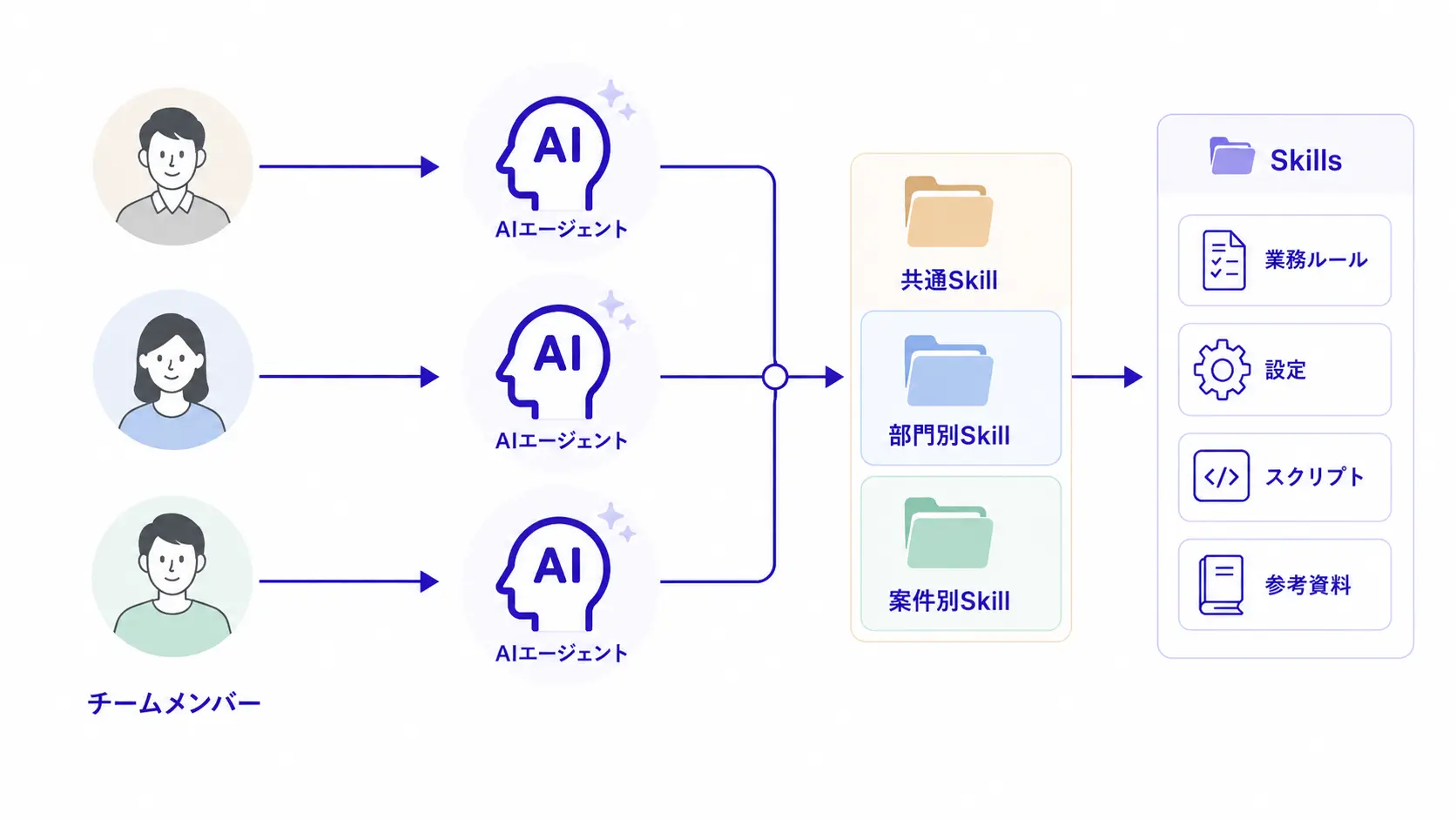
Combine DC Agentiqs AI agents, Next Design MCP, and dedicated Next Design Skills to support profile definition, migration of existing design assets, and extension development. AI creates a starting point, while people review and refine it in Next Design—making it easier to establish and continuously improve the design environment.
Learn more about the Next Design AI Toolkit
Convert Excel grid sheets, ruled tables in PDFs, and AutoShape diagrams into AI-friendly data while preserving document structure and relationships. AI can understand notation commonly used in software development and apply diagram elements and process flows to reviews, test design, and change-impact analysis.
Adjust the thinking level of reasoning-capable models for each chat, agent, and workflow. Dynamically invoke specialized subagents for each task to divide responsibilities across research, specification organization, design decisions, and reviews. Match AI use to the nature of the work to balance quality and speed.
Use breakpoints, step execution, and variable inspection to verify workflow behavior and isolate problems as it runs. Scheduled execution and version save and restore make it easier to automate recurring development work and verify quality after changes. Workflows can now be embedded into operations and run and improved reliably over time.
Other New Capabilities
- Register MCP servers at the application level and select them for use across multiple Workspaces.
- Use web search to reference current technical information and public documentation for research and design exploration.
- Use the code interpreter to calculate and process actual data for more accurate answers.
- Connect securely to Azure OpenAI and Microsoft Foundry with company accounts through Entra ID authentication, without distributing API keys.
- Generate images directly from chat.
UI/UX Improvements
- View context usage and its breakdown, active token counts, and cumulative costs.
- Specify multiple working folders in chat and use file operations and command execution.
- Pin lists and switch among flat, group, and folder views to find items more easily.
- Use the in-app tutorial to practice basic operations at any time.
See the release notes for the complete feature list.