What's New in DC Agentiqs V1.1
An overview of what's new in V1.1, including UI integration with Next Design and enhanced Simulink integration to improve design efficiency.
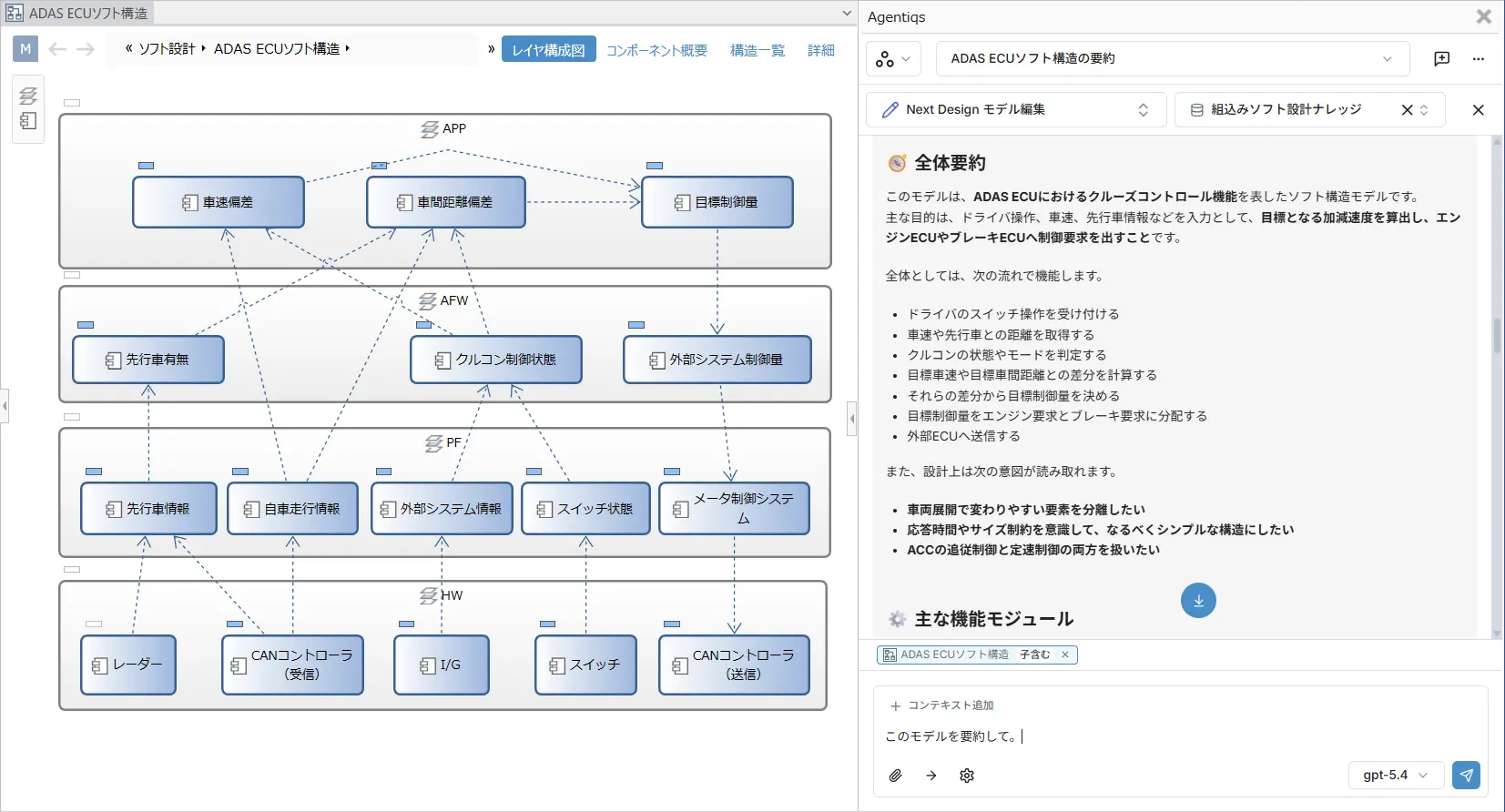
DC Agentiqs's chat window is integrated into the Next Design UI, so you can use AI seamlessly during everyday design work without the hassle of switching tools. The model you're currently editing is automatically recognized as context through the AI integration feature. If there's a model you want the AI to reference, you can simply add it by drag and drop to get more accurate AI design support.
Learn more about Next Design
Stabilizing incremental retrieval of Simulink model and library information, along with editing features, improves the accuracy of model retrieval and generation while reducing token usage. Specifically, it now supports searching without exporting a library and retrieving/editing SLDD (Simulink Data Dictionary) variables, giving you more flexibility in working with models.
In addition to the existing LLMs, DC Agentiqs now supports Google Gemini and Microsoft Foundry. Since you can choose the LLM that fits your use case, you can optimize AI use for cost, accuracy, and purpose. It also now supports GPT-5.4 and Claude-family LLMs for higher-precision generation results.
Other key improvements
- Added LLM selection for Knowledge
- Improved the workflow editing feature
- Improved the usability of the chat feature
- Improved the File Access tool